Category Archives: Design

Hopscotch Hamlet

As part of Jesse Schell’s Game Design course at The Entertainment Technology Center we required to analyze and ‘improve’ the game of Hopscotch.

The goal of the game is to complete Hopscotch Toss the fastest.
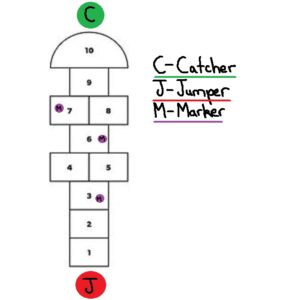
  1. In Hopscotch toss there are two teams which compete against each other on a standard Hopscotch board.
  2. Both teams have two players, a jumper and a catcher.
    1. The catcher stands at the final safe square on the Hopscotch board
    2. The jumper at the start of the Hopscotch board
  3. The jumper throws out three markers:
    1. When a marker is thrown the timer begins
    2. If a marker misses a square the marker is placed on the first square
  4. The jumper begins playing hopscotch with the aim of collecting and throwing markers to the catcher one at a time.
    1. If the catcher drops the marker the jumper must return to the start
  5. Once the jumper reaches the catcher who must have three markers in hand, the jumper turns round and continues playing Hopscotch.
  6. When the jumper reaches the start position reverse jumper and catcher roles. Now the second round of Hopscotch Toss starts.
  7. First team to complete two rounds wins.

Development

Part 1 - Analysis & Brainstorming

What makes a hopscotch a good game?

  • Simple to understand rules
  • Requires little equipment
  • Trains limb coordination
  • Easily extensible to multiplayer
  • Clear win state
  • Gamifies natural hopping movement
  • Low skill entry barrier
  • Immediate feedback on game state

Problems with the game your design might try to solve.

  1. Not friendly those with physical disabilities
  2. Can become boring due to its simple rule set
  3. Primary mechanic is jumps
  4. A static game space
  5. Minimalist Aesthetics
  6. Has no story
  7. Does not incorporate elements of modern technology
  8. Tests the body but not the mind e.g recall of facts, events etc.

Brainstorm 50 ideas on how you could improve Hopscotch

  1. Blindfolded
  2. With someone on your back while playing
  3. Jumping only when music is playing
  4. During a handstand
  5. On a climbing wall
  6. With multiple tokens
  7. Whilst singing
  8. Where you start with no squares and draw one turn by turn
  9. Three legged
  10. On stairs
  11. Backwards
  12. Eating icecream
  13. With two people at once
  14. With only one square
  15. On a board with tiles that turn in a pool
  16. Played using your fingers
  17. On a trampoline
  18. Interplanetary
  19. Over Skype in different countries
  20. Where you cant jump in squares based on a coloured dice, or coin?
  21. Story based, and where marker was thrown player has to participate in a story event and if they lose they dont get to score a point by playing a round of hopscotch
  22. Edible, where a player can eat one square but has to make another one with provided food
  23. Where the game space drawn from star constellations
  24. Meta – smaller hopscotch games feed in a larger one. Two people play against each other in each mini game, and the winner moves forward on one square on the board till they reach the meta game marker and return as in a normal game
  25. Color coded special square events which if a person steps in they have to do like shout a word, if they fail they have to go back to the start
  26. Place the marker not by a throw but by a dice roll
  27. People are put into teams based on costumes
  28. The person has to do a dance move when spinning round at the end
  29. The person has to do karate punches on each jump
  30. Throw the marker again when it is picked up
  31. Two people have to mirror each other on different games
  32. It is attached to another game that based on your speed gives you more points/ progresses more in the level
  33. In VR with rivers of lava
  34. Where each item rotates round and one has to jump from square to square
  35. One player throws the marker and stops at that position. Then throws the marker forward again. The next player jumps to the position of the last player who jumps to the next place the marker is now at. The process continues until the marker has been returns to the beginning.
  36. Competitive, two games of hopscotch, the marker can be thrown onto another hopscotch game to make it harder for them to complete the round
  37. On a dart board. Objective is to hit the center of squares avoiding the one other player threw the marker dart at.
  38. Three legged – two people tied together play
  39. Relay, where the marker has to passed from game to game.
  40. Players stand in Hopscotch squares and pass the marker to other players to complete the game.
  41. Where the panels light up and one must jump only on lit panels
  42. On the moon
  43. On a single wheel cycle
  44. With sword fighting battle rounds per block, losing sends you back to the start
  45. Complete Hopscotch in a tiger cage before the tiger is let loose in it
  46. With a slide at the end of the game
  47. There are two markers and those are the only ones that can be jumped in
  48. There are markers on every square and winning is jumping and picking up as many as possible in a given time.
  49. One person is continuously jumping and another person throws a marker and tries to have the player jumping fall on that marker.
  50. On a keyboard one has to press the 1-9 keys in the same pattern, and avoid the marker square set by the computer.

Part 2 - Selection

From your list of ideas select three and describe them in more detail

Based on number 25, 39 and 48

  1. Picto Hopscotch – Hopscotch is played in the traditional American school yard manner except for one difference. Each row has a picture associated with it. When the player jumps on any square of the row they must shout out the picture. If they do not the player has to go back to the beginning again.
  2. Relay Hopscotch – Two hopscotch play spaces are set up. One person from each hopscotch space begins playing, and completes a game and gives the marker to an awaiting second player who plays a game of Hopscotch. First team to complete both hopscotch games win.
  3. Hopscotch Toss – Two teams play Hopscotch competitively. Both teams have a jumper, and catcher. The jumper plays hopscotch and collects the markers and throws them to the catcher. The team with all the markers in the catchers hand and jumper at the end win.

Part 3 - Improvement

Hopscotch Toss

An Attempt at solving problem 3 by introducing throws

The goal of the game is to complete Hopscotch Toss the fastest.

  1. In Hopscotch Toss there are two teams which compete against each other on a standard Hopscotch board.
  2. Both teams have two players, a jumper and a catcher.
    1. The catcher stands at the final safe square on the Hopscotch board
    2. The jumper at the start of the Hopscotch board
  3. The jumper throws out three markers:
    1. If a marker misses then the player rethrows
    2. When the last marker is thrown the timer begins
  4. The jumper begin playing hopscotch with the aim of collecting and throwing markers to the catcher one at a time.
  5. The team is fastest to get all the markers in the catcher’s hand and the jumper at the end wins.

First Loop

The first iteration of gameplay showed me various areas that needed more detail and consideration. Useful moments that occurring during my playtests were:

  • Instructions should be short and concise otherwise they bore playtesters. So I should better prepare my rule for fast and easy digestion.
  • Great design moments had laughs or confusion which immediately drew my attention to areas of the game I needed to work on.
  • Playing the game exposed rules that I needed to clarify such as how to handle drops, fumbles of the jumper, missed throws.

Bad

  • I did not consider adding the throw to the timed phase of the game. Doing so might add tension to that part of the game.
  • The catcher reported wanting to do more.
  • I had only one game setup at a time, it would have been more enjoyable to have both games occurring simultaneously.

Good

  • Players clearly enjoyed throwing markers and catching them.
  • The game was picked up very quickly due to its rule set

Second Loop

With the second iteration I intend to adjust the rule set to include new cases for when the jumper and catcher fumbles.

  1. The jumper throw phase is included in timing.
  2. If the marker is thrown out of boundaries it is placed on the first Hopscotch square.
  3. If the catcher drops the marker the jumper stops moving until the catcher picks up the marker and returns to the safe zone.

Playtested with the above changes had the following effects:

  1. Heightened the tension during the beginning of the game.
  2. Made jumpers more careful with their throw. They would take safer shots, but those who successfully made riskier shots got greater rewards.
  3. Heightened the tension during drops, particularly on the catcher as they scrambled to get the marker..

Playtesters reported having an enjoyable more fluid experience. They also made two suggestions:

  1. The experience be ‘circular’. When the jumper reaches the catcher who has three markers in hand, the jumper turns round and continues their Hopscotch game (without the markers) instead of ending the game. On reaching the beginning of the Hopscotch board the Catcher now switches roles and becomes the Jumper, and the game continues.
  2. The jumper returns to the start if the catcher drops the marker.

DinoRancher – Build Virtual Worlds, Round 5

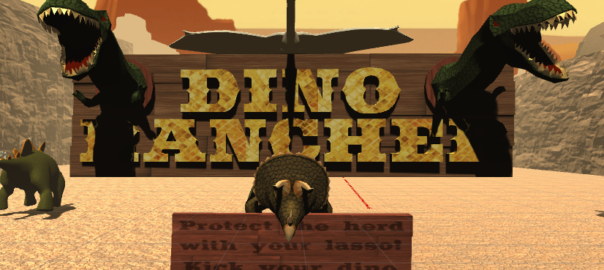
Introduction: Developed on the Oculus Rift with PS Move, DinoRancher had guests play atop a Triceratops armed with an electric lasso. The goal of the guest was to shepherd a herd of Stegosaurus to safety, protecting them from danger.

Platform: Oculus & PS Move | Time: 2 weeks | Role: Programmer – Designer – Producer | Team Size: 5

Story:  You are a DinoRancher armed with your electro lasso and trusty trike. Travel across the desolate wasteland, and protect your herd from those nasty predators!

Design Challenges:

  • Herd behavior
  • Enemy types
  • Environment design
  • Integration of the PS move into Virtual Reality
  • Trike movement system

Design Goal: To create an experience that made the guest feel like a cowboy travelling through the desert protecting a herd of dinosaur from predators.

My Contributions: As producer I arranged meetings, delegated pending tasks, and contributed creatively. In addition as a programmer I was responsible for setting up the games environment which included, asset preparation, level design and developing agent behavior.

DinoRancher was featured at The Forbidden Forest in The Entertainment Technology Centers end of semester festival!

Festival Footage

A Playroom – Building Virtual Worlds, Round 2

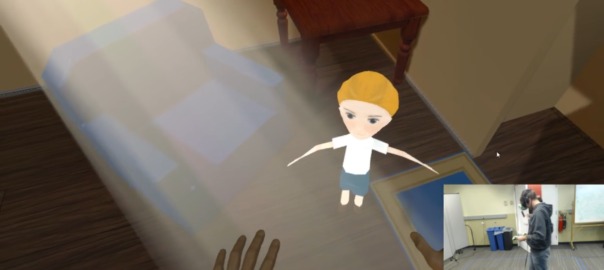
Introduction: A Playroom was a developed on the HTC Vive. A virtual reality device that allows a guest to walk around a calibrated virtual reality space with hand held controls.

Platform: HTC Vive in Unity 3D | Time: 2 weeks | Roles: Designer – Producer | Team Size: 5

Story: The setting of the game is in a play room where the guest encounters a ghost boy who needs help in-order to ‘move on’.

Design Challenge: To design a game for naive guests, conduct play tests, and make three predictions of what the guest will do all whilst having the guest ‘feel free’.

Design Goal: Round 2 of Building Virtual Worlds was indirect control round. This required we build an experience that felt free, and was intuitive enough for a guest to play from start to finish without any instruction or guidelines.

My Contributions: I analyzed, and designed the guests interactions as well as wrote our main non playable characters dialogue. In addition I conducted play tests which gave us invaluable feedback which we used to further develop the experience.

Development

Interaction Design

I focused on interaction development by first analyzing what we currently had. From that I wrote a draft story design which was a rough version of what we would aim for. Our current gameplay was clearly a linear story experience, and I believed we could achieve a greater sense of freedom by allowing a player a choice of what game to play.

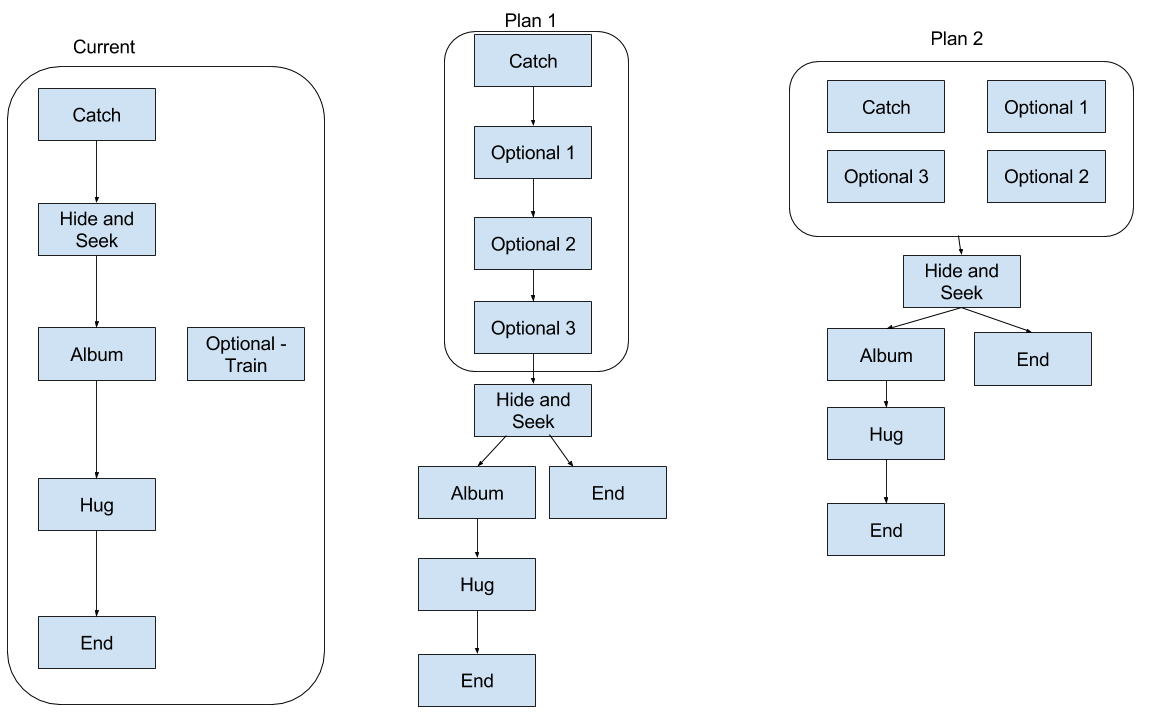
From this notion I created two different interaction models.

a-playroom-interaction-general
Interaction Analysis – Development Diagram

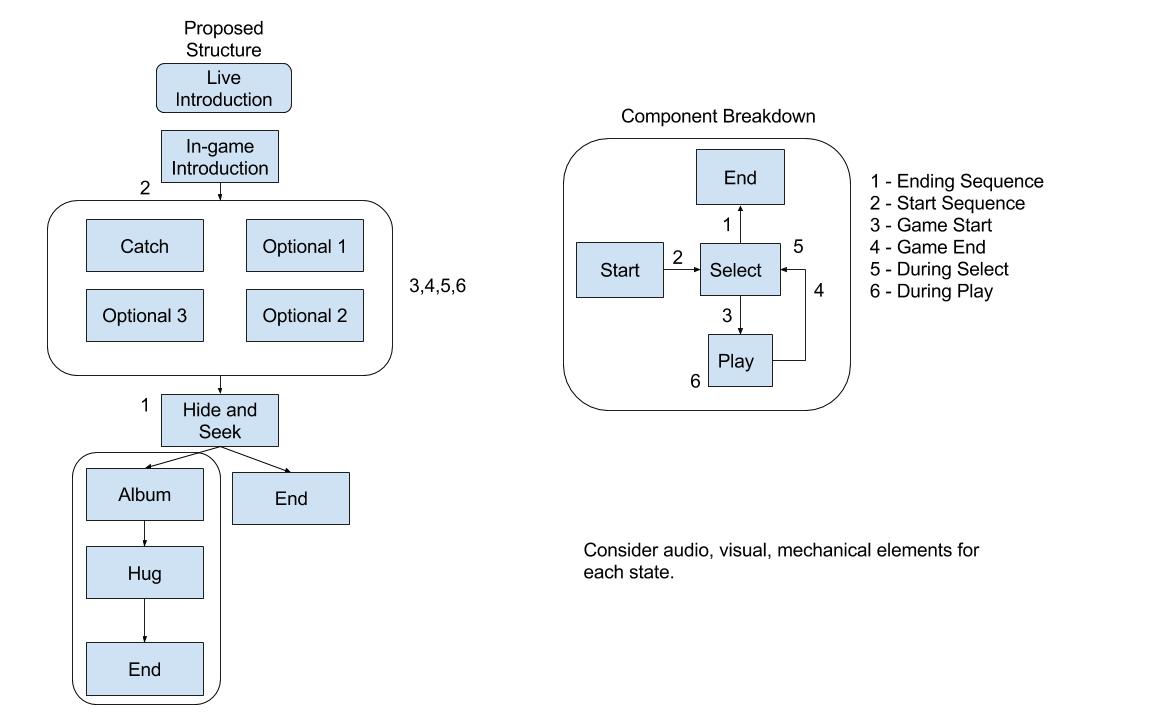
I then met with the team, presented my two plans. We choose plan 2 which I further developed into a more detailed version.

a-playroom-interaction-map-detailed
Interaction Analysis – Component Breakdown

Audio would play a vital aspect in driving this interaction model therefore I worked with our sound designer on a script for the game which we iterated over based on feedback (script documents).

Playtesting

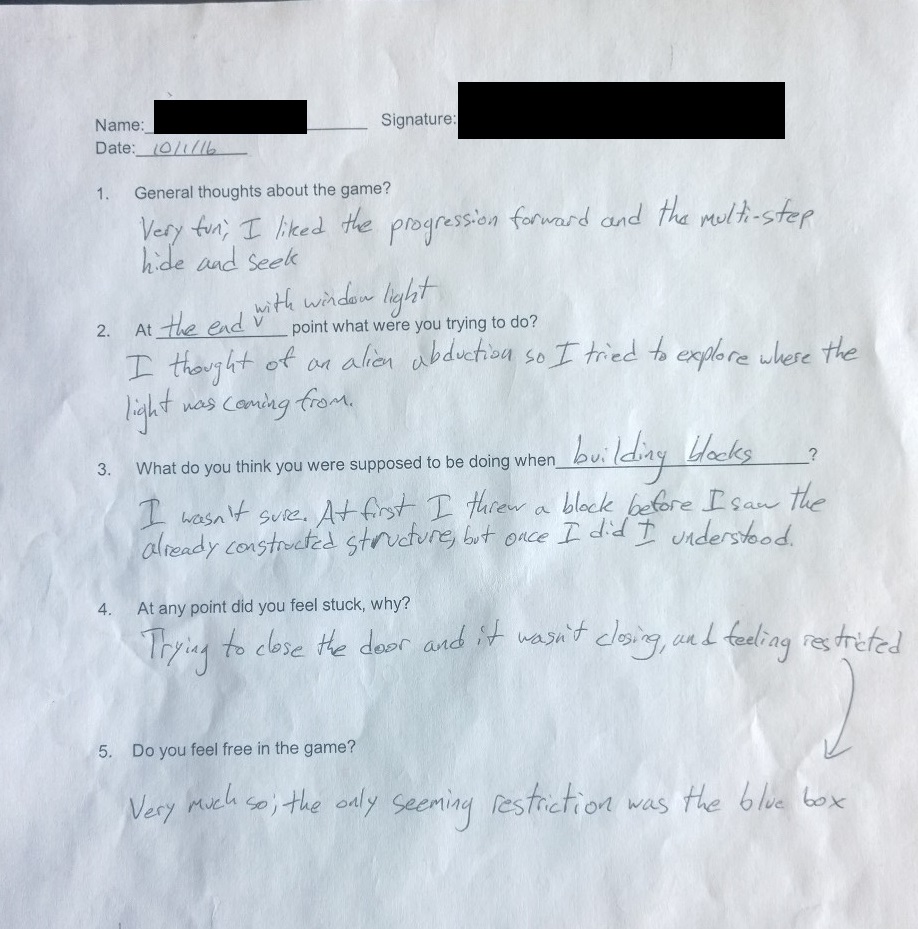
Once the various audio cues, and interaction model was implemented we went about play testing the game. I conducted play tests with over fifteen naive guests which included an audience of fellow students, professors and non-students. This feedback was then used to polish elements of our experience.

a-playroom-playtesting-form
Sample Play Test Feedback Form

In conclusion we correctly predicted each of the three interactions, and the guest understood our story, all with no guidelines or instruction from us.

Full Story

We began our project with brain storming, and research into the platform on which we were developing. We came up with several ideas including:

  1. Darkness Use light to guide the guest through a street.
  2. Space Exploration Explore the universe, and pick a planet to colonize.
  3. Dreaming – Flying a plane, flying elephants, flowers turn to buildings (freedom from constraints).
  4. Empty Room – Furniture place (guide them to a correct place).

Having difficulty grappling with the concept of ‘freedom’ we spoke to a member of The Entertainment Technology Faculty Jesse Schell. After meeting with Jesse Schell we honed in on an idea of a ghost boy which we would help in some manner through objects around him.

Next we thought about location, which was first a storage room due to it making sense to have many object, we then changed to a play room as it offer the potential for a ‘warmer’ environment for guests to feel comfortable.

After creating a basic room with a simple number of interactions which included:

  • Playing catch.
  • Place a train on the train track.
  • Hide & Seek.
  • Give a hug.

We had a prototype ready for interim.

Interim

After interim our two main points of feedback were

  1. Make the boy and game generally less ‘creepy’.
  2. To develop our interactions.

Less ‘Creepy’

Point 1 was a significant design challenge which we tackled by investing time into solving by:

  • Making our main game character look more human like.
  • Soothing music.
  • A warm game atmosphere.
  • A friendly, light and clear character voice.

Interaction Design

I decided to tackle point 2 by first analyzing what we currently had, then writing a draft story design which was a rough version of what we would aim for. Our current game play was clearly a linear story experience, and I believed we could greater the sense of freedom by allowing a player a choice of what game to play.

From this notion I created two different interaction models.

Interaction Analysis – Development Diagram

After meeting with the team, presenting the two plans and convincing them of the need to carefully design the experience, we choose plan 2 which I then further developed into a more detailed version.

Interaction Analysis – Component Breakdown

Implementation

Audio played a vital aspect in our experience so I worked with our sound designer on a script for the game which we iterated over three times based on feedback (script documents). In addition to audio we used a number of other techniques including:

  • Lighting – To direct the players focus.
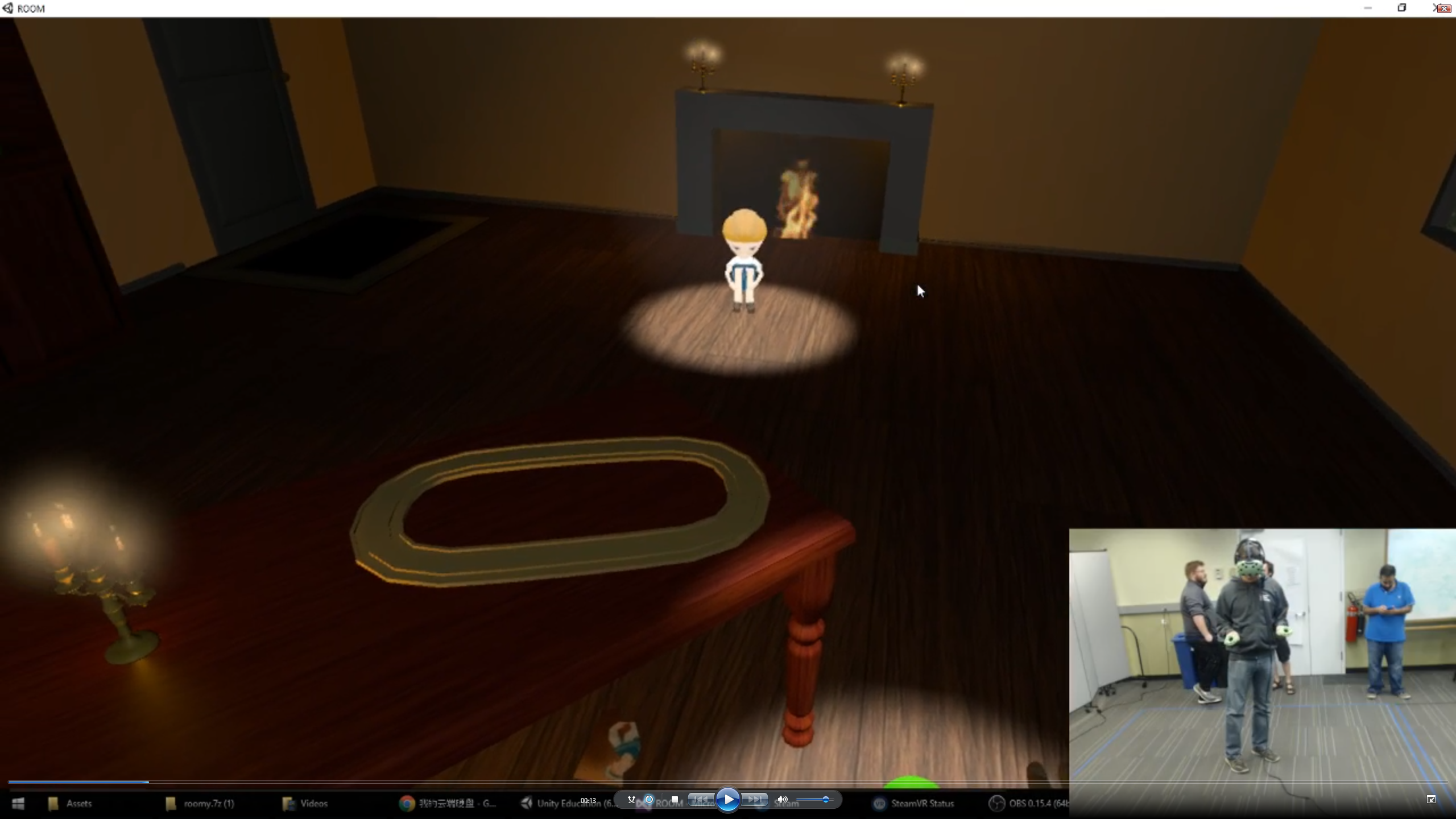
Meeting the Boy
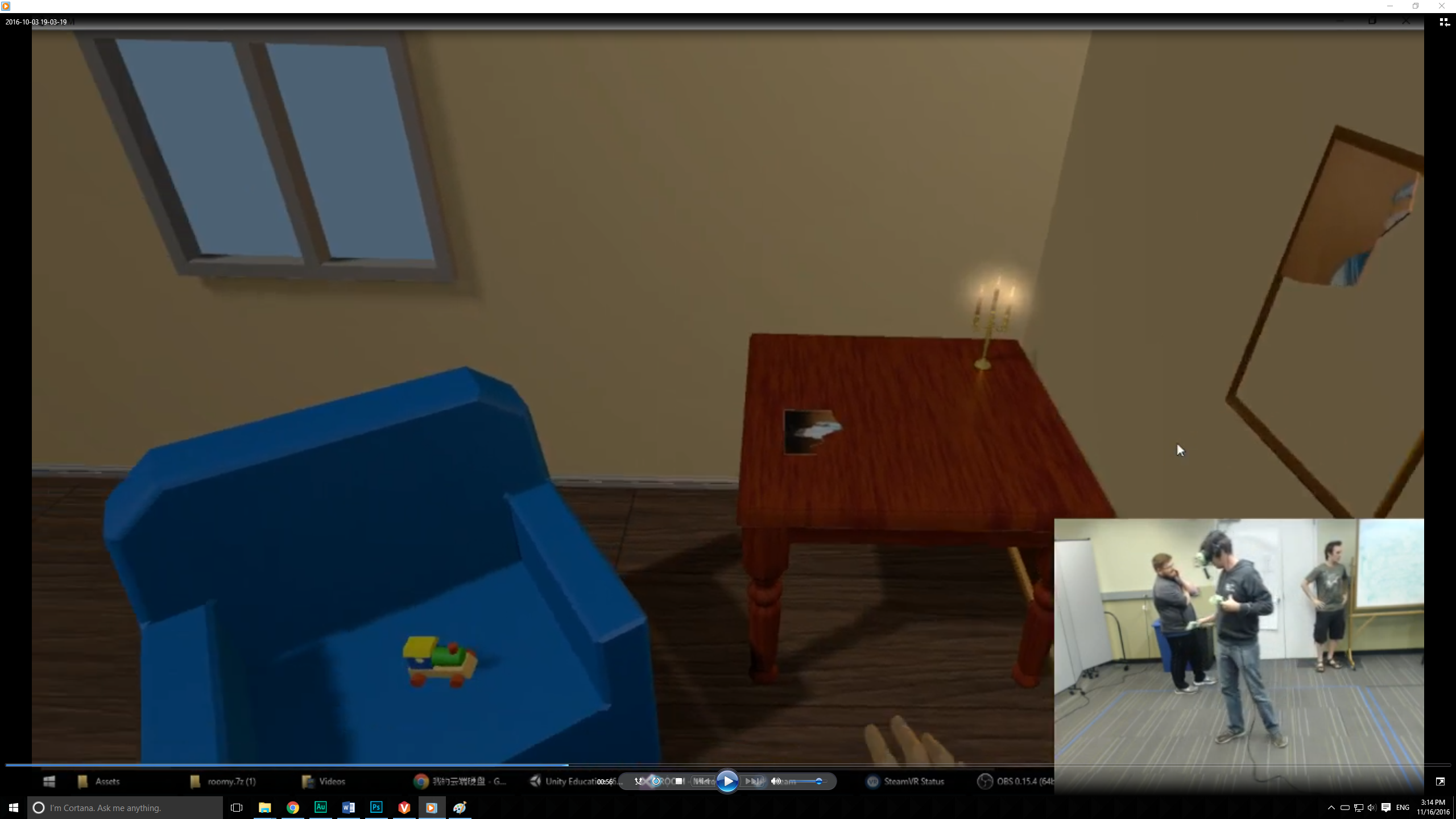
  • Color – Brightly contrasting objects such as with the yellow train on a blue chair, and a red book on a beige floor caught the players attention.
Train & Puzzle
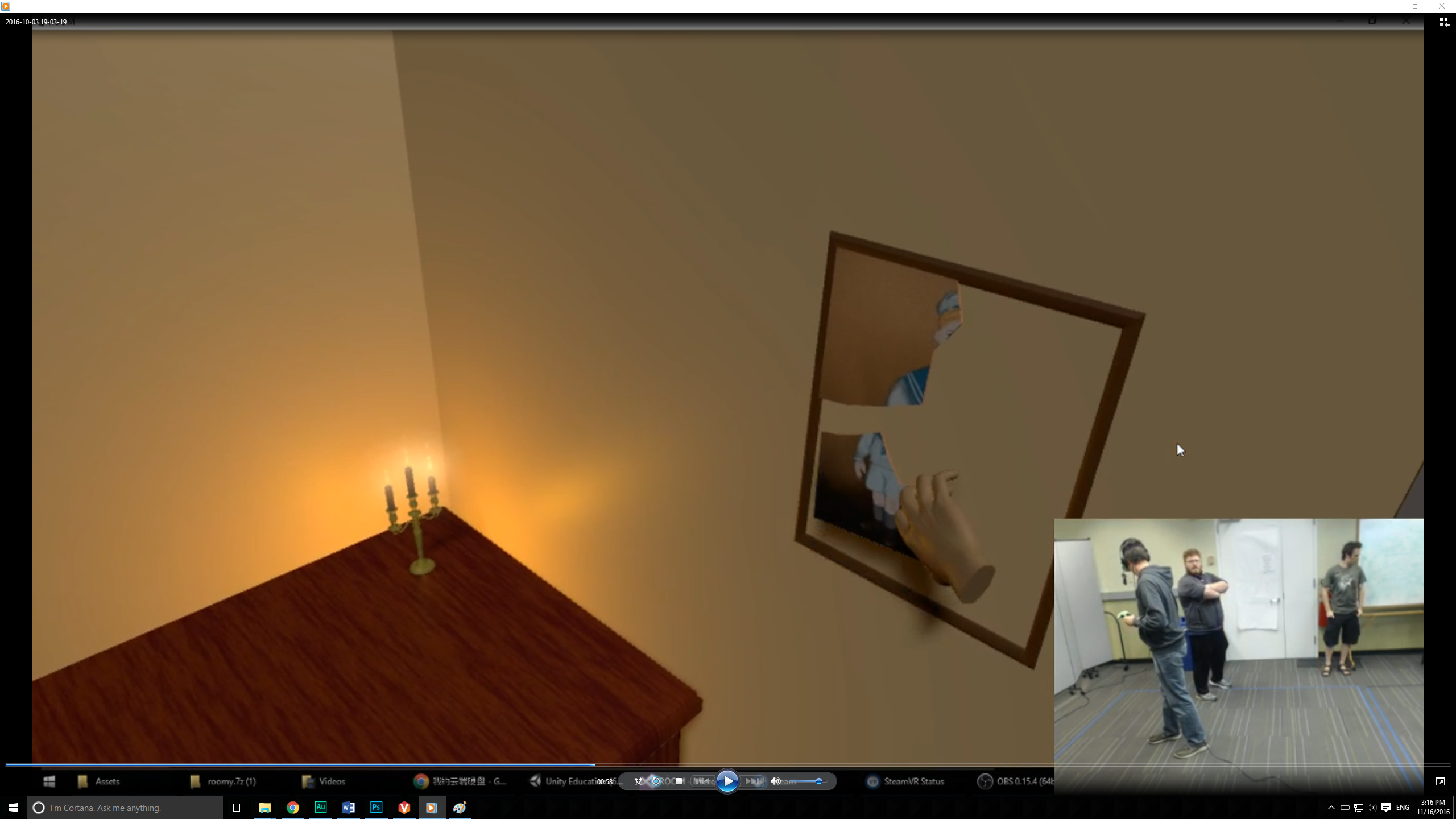
  • Uniformity – A suggestive picture fragment was placed in the frame, and other similar looking puzzle pieces were placed around the level.
Puzzle Placed

After implementing these features with a new interaction model we went about play testing the game. We conducted play tests with over fifteen naive guests which included an audience of fellow students, professors and non-students.

Based on the feedback we received we continued to polish elements of the game. The end result of our work was that not only did we accurately predict each of the three interactions, but the guest completely understood the story behind our world all with no guidelines or instruction from us.

This slideshow requires JavaScript.

Multi

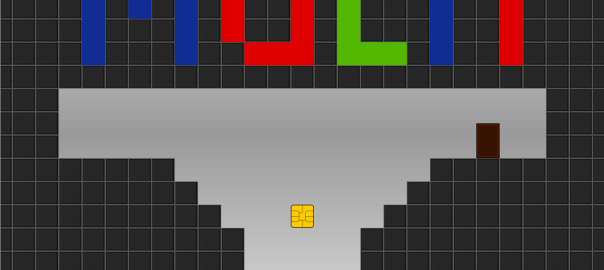
Introduction: Multi is a game built on Game Maker for Windows using Game Makers scripting language. Players control a character who traverses a series of levels in a platformer style game play.

Platform: Windows | Time: 3 weeks |  RolesProgrammerGame Designer – Artist – Sound DesignerTeam Size: 1

Design Goal: The primary ‘design goal’ with this project was to further my design skills whilst practicing level and mechanic design.

Design Challenges:

  • Creating levels that were interesting to play with the mechanics I created.
  • Difficulty design.
  • Teaching players how to play.
  • Audio which included, character, and environment sound design.

My Contributions:

  • Programmed the code of the game (adapting some freely available physics code). I completely designed the game.
  • Made the majority of art assets (character art and animation taken from a game maker tutorial)
  • Collected audio that suited the game play from free sources (credits bundled with Multi).
  • Conducted play testing with younger audiences which I believed would be interested in the game.

Download:

Follow the link below to download a .zip file containing the game. When the download is complete, unzip the file then have a look the read-me and, then run the .exe file to play the game.

 Download Multi!

Continue reading Multi

Seize the Sky – Building Virtual Worlds, Round 1

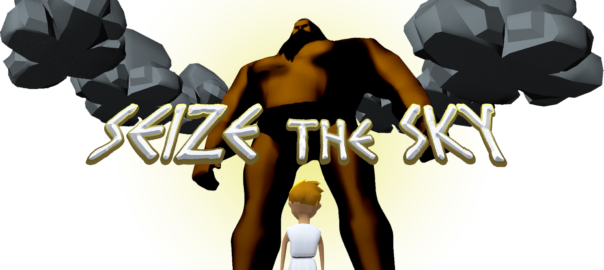
Introduction: Seize the Sky was built during Building Virtual Worlds at Carnegie Mellons Entertainment Technology Center. The world was constructed using Oculus Rift, and Leap Motion. Using these technologies we put our guest into a virtual reality space with an ability to use a natural interface in our world.

Story: A mighty giant heads towards a town with murderous intent. A country side boy notices, and cries to Zeus for help to defeat the giant to save the city. You are Zeus, save them all!

Platform: Oculus Rift + Leap Motion in Unity 3D | Time: 2 weeks |  RolesProgrammer – Game Designer

Design Goal: Our design goal with Seize The Sky was help character A (the boy) who is afraid of character B (the giant).

Design Challenges:

  • Incorporating a satisfactory use of Leap motion.
  • Achieving our a sense of character A is afraid of character B.
  • Level design.
  • Game-play design.

My Contributions: As the lead programmer on Seize The Sky I made large contributions to the code base for this project. I also took an active part in the design process with working with the team to develop various aspects including game play, and level design.

Development

Iteration 1


The development process started with being assigned teams. In our first team meeting we made clear our skills, started brainstorming ideas, and kept good development processes in mind.

This slideshow requires JavaScript.

During brainstorming we tried using several appropriate methods, such as gesture centered brainstorming (due to our use of Leap Motion). Finally we had five initial ideas:

  1. Help mend relationship between characters.
  2. Play piano to make baby sleep.
  3. Use light to guide a character home.
  4. Keep animal safe growing to adulthood.
  5. Hold characters hand to guide them.

This slideshow requires JavaScript.

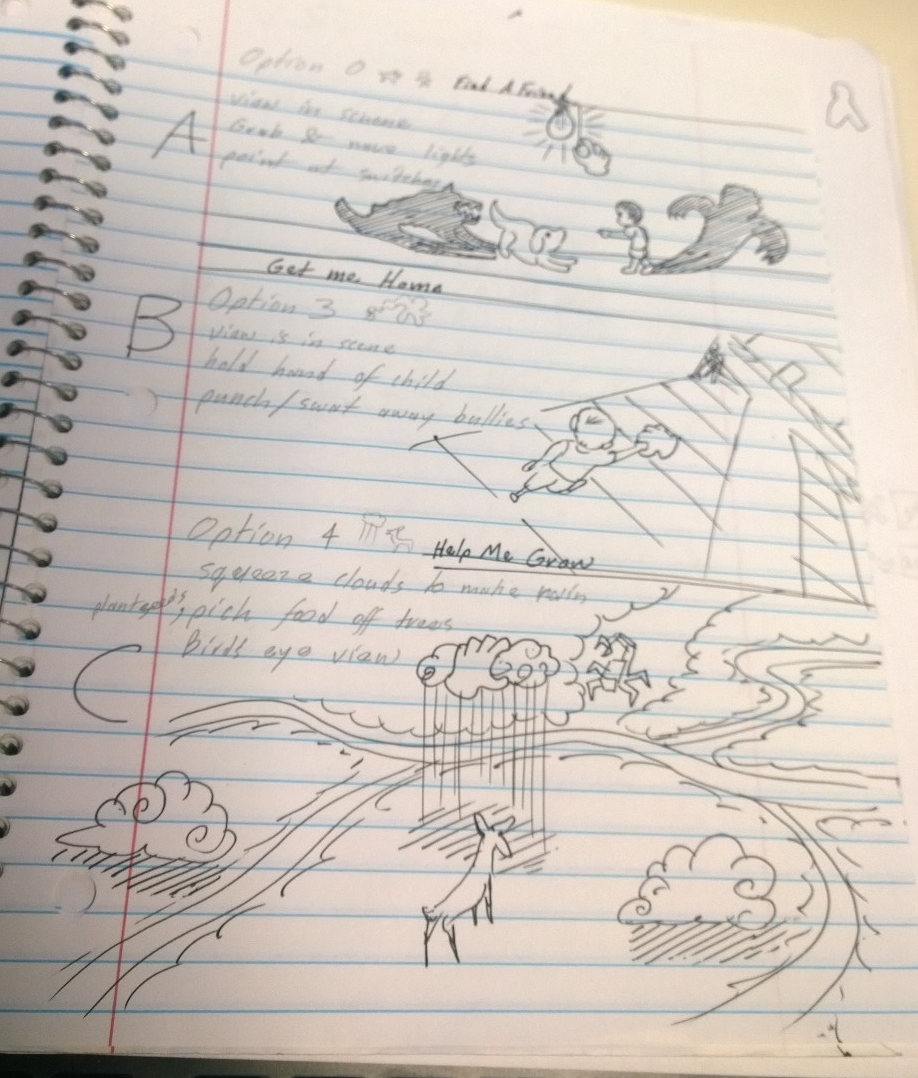
With our initial ideas we further boiled them down to three concepts with the following reasoning:

  • Concept one was hard to conceptualize compared to our other ideas which seemed simpler and more clear.
  • Concept five could be incorporated into concept three.

Creating sketches of each concept we then sought out the advice of our professor Jesse Schell.

bvw_round_1_initial_three_concepts

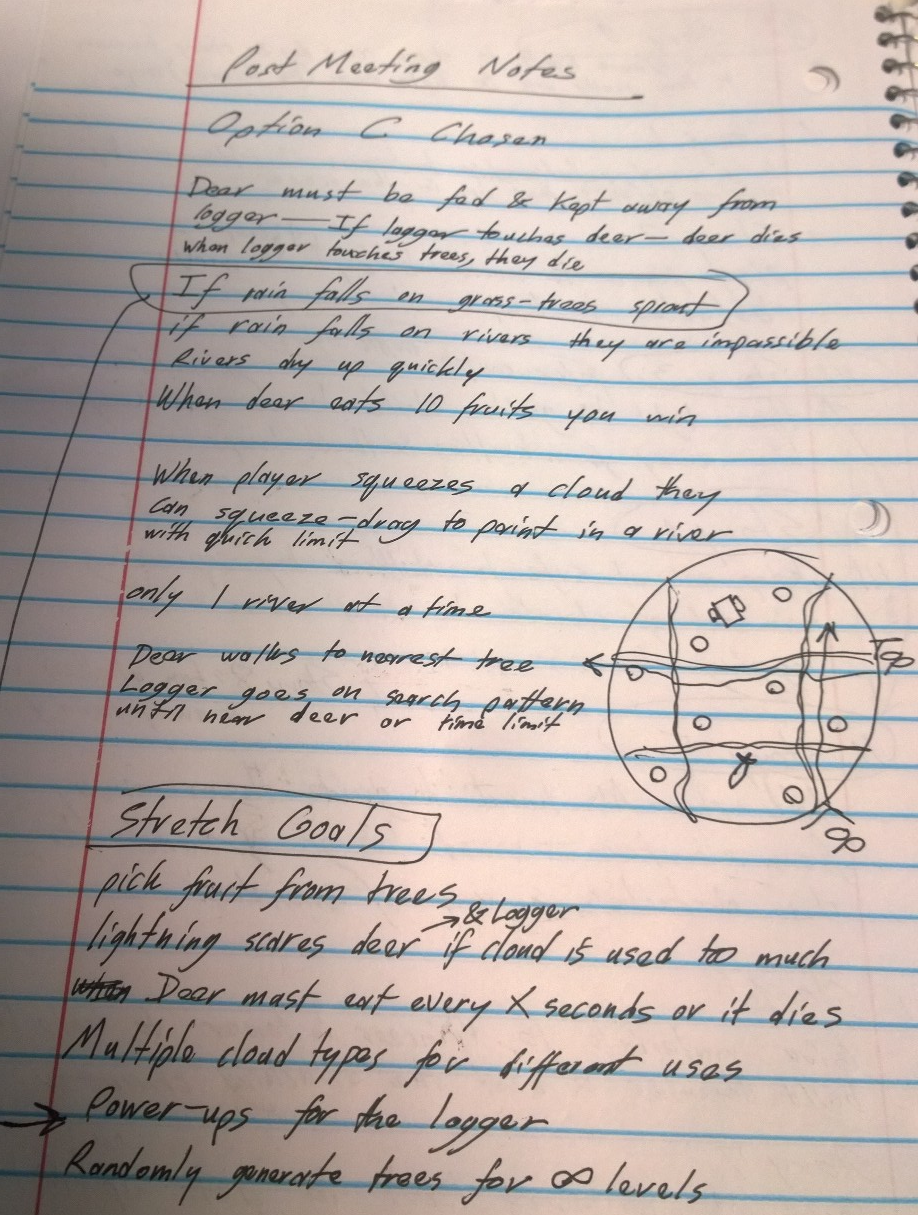
With Jesse Schells feedback we went with concept C, because we wanted to explore squeezing in Leap Motion.

bvw_round_1_post_meeting_notes

We then began further conceptualizing the idea with sketches, and research into the capabilities of Leap motion and Oculus.

This slideshow requires JavaScript.

With this in mind we began assigning tasks to complete, considering game play, and used a scrum board to assist us in tracking tasks.

This slideshow requires JavaScript.

On the technical side we used a NavMesh, and simple A.I. to run the behavior of the Hunter and Deer. The behaviors of the two agents were essentially:

  • The deer always moved to nearest tree that has an apple.
  • The Hunter patrolled around fixed points, and if it came close enough to the deer it began chasing it.

The result of our hard work was the following.

We then received feedback at interim, which sadly wasn’t good…

Iteration 2

Continue reading Seize the Sky – Building Virtual Worlds, Round 1

Building Virtual Worlds – Round 0

Building Virtual Worlds at Carnegie Mellon University starts with each student being assigned a role in Round 0. Since I have a Computer Science background, my role was that of programmer; this entailed I build a world that employed a number of basic features in Unity, such as:

  • Loads models and textures.
  • Play animations.
  • Use intervals, lighting, collisions, and multiple scenes.

The world can be downloaded here.

Concept

When considering the world, what I noticed was the amazing talent of the artists and musicians around me. It occurred to me what a shame it would be for their work not to be seen. I decided then that my virtual world would be a gallery of other peoples work. My first task was then to coordinate of assets with artists, and sound designers.

Creation

Artists were initially required to create animated lunchboxes, then dragons, and sound designers were required to create music for a clip of game play from a previously made world. I decided to meld the two by attaching audio sources to several of the artists assets that would constantly play music made by our sound designers.

This slideshow requires JavaScript.

Continue reading Building Virtual Worlds – Round 0

Know – An Educational Card Game

The following are play instructions for Know, and educational card game.

know_logo

Equipment

To play Know requires the following equipment:

  • Blank Cards (or pieces of paper).
  • Pens (not pencils).
  • Teams (at least one player per Team).
  • Source of Answers e.g Academic Textbooks.

Definitions

These are the definitions for terms used in Know:

  • Answer Cards A card that has written on it a Teams ID, their Answer and the Question number that the Answer Card is addressing.
  • Point Pool – The number of points available to be won on a Question.
  • Question Cards A card that has written on it a Teams ID, their Question, and a unique Question Number.
  • Question Prep A round for preparing Questions.
  • Question Round A round for asking Questions and submitting Answers.
  • Resolution A round for marking the Answers to Questions.
  • Round Deck A collection of Answer and Questions Cards for a Question Round.
  • Team ID A secret identifier that is unique to each Team.

Continue reading Know – An Educational Card Game

Night At The Park – Game Jam Project

Night At The Park was a team project I worked on during one of Edinburgh University’s Game Development Society Game Jam’s. My team consisted of myself, an artist and my friend Sangseo Lee.

The Game Jam began with a theme which was Shadows. Games were required to include that theme in some manner.

My role on this project was as a designer. In addition to spearheading the game play and mechanics design, I hand crafted the following two levels using the Tiled map editor with assets our artist made, as well as free resources on the net.

night_at_the_park_level_1
Level 1

Continue reading Night At The Park – Game Jam Project

Hungarfen, The Fungal Horror – League of Legends Champion Design

Role: Mage/Support

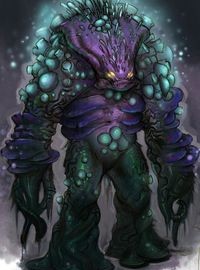
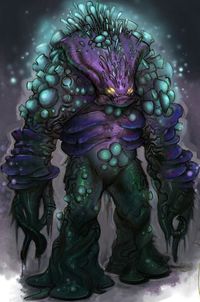
Hugarfen is a manaless champion from the Plague Jungles who uses its health as its casting resource. I’’ve written a short introduction that I highly recommend you read before moving on to the champion description.

Appearance

hungarfen

This image is not owned by me and was sourced from here.

Lore

When writing Hungarfens lore I choose to be unconventional. My intention was to craft something with little less hand holding. I want to challenge the reader to make inferences while giving them the ingredients to do so. I want the reader to not just read, but think and discover. Hopefully I made that possible.

Lets get started, shall we!

Continue reading Hungarfen, The Fungal Horror – League of Legends Champion Design

Euler, Golem of The Great Library – League of Legends Champion Design

Major Faction: The Desert Empire
Minor Faction: The Enlightened

Role: Tank/Support

When reading the following champion description please keep in mind that this champion has three forms. To get an idea of what the forms are when reading his abilities, read his W ability description first.

Additionally this champion has no mana or energy rather his abilities cost health. This works from a lore point of view since it’s Euler’s spirit that is the source of amulet’s power, and mechanically as it helps offset his passive ability.

Appearance

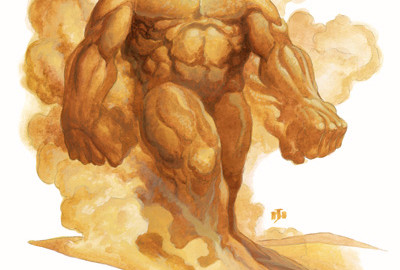
A hulking humanoid figure, The Golem is a mountain of perfectly muscled sand standing several heads taller than any man. On its neck a pulsing amulet, an ancient artifact, a vessel containing the essence of a spirit. Euler’s spirit. The source of the amulets power.

GolemSandI do not own this image, it was taken from this website.

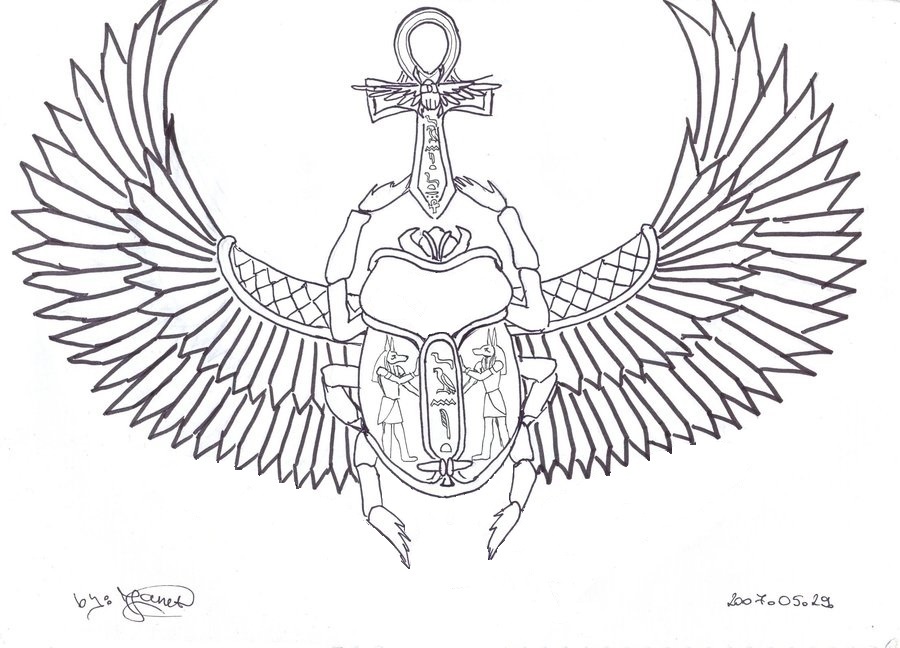
The amulet design is based off of the concept of Ancient Egyptian scarab amulets. Imagine the following as a base:

scarab_amulet

I do not own this image, it has been adapted from its original posting here.

The primary colors of the amulet are obsidian black, with gold lining that traces the outlines of the amulet’s key features. Namely the ankh and its patterns, as well the scarabs body, wings and its patterns.

The amulet’s major chain would follow the design of the scarabs wings. The major chain would be made up of two minor chains, one for each wing of the scarab. Each link of the chain would be a single part of a scarabs wing. Once the two minor links are connected they would form a chain of two complete connecting wings, the links mechanically functioning in the same manner as the links of watches metal strap.

The amulets head is the scarab, its body a golden lined ruby the size of a mans head. From within the ruby onlookers would behold brilliant rays of gold and white through the carvings on the ruby’s face.

Continue reading Euler, Golem of The Great Library – League of Legends Champion Design

Chowder the Storm Crab – League of Legends Champion Design

Hey everyone this is my first time posting a champion on the forms. So here is an idea of mine and I’d really like to know what the community thought of it. Any and all feedback is welcome!

Chowder, The Storm Crab v3.2

Index

1. Appearance
2. Lore
3. Characteristics
4. Abilities
5. Abilities Notes
6. Capabilities
7. Countermeasures
8. Change-Log

1. Appearance

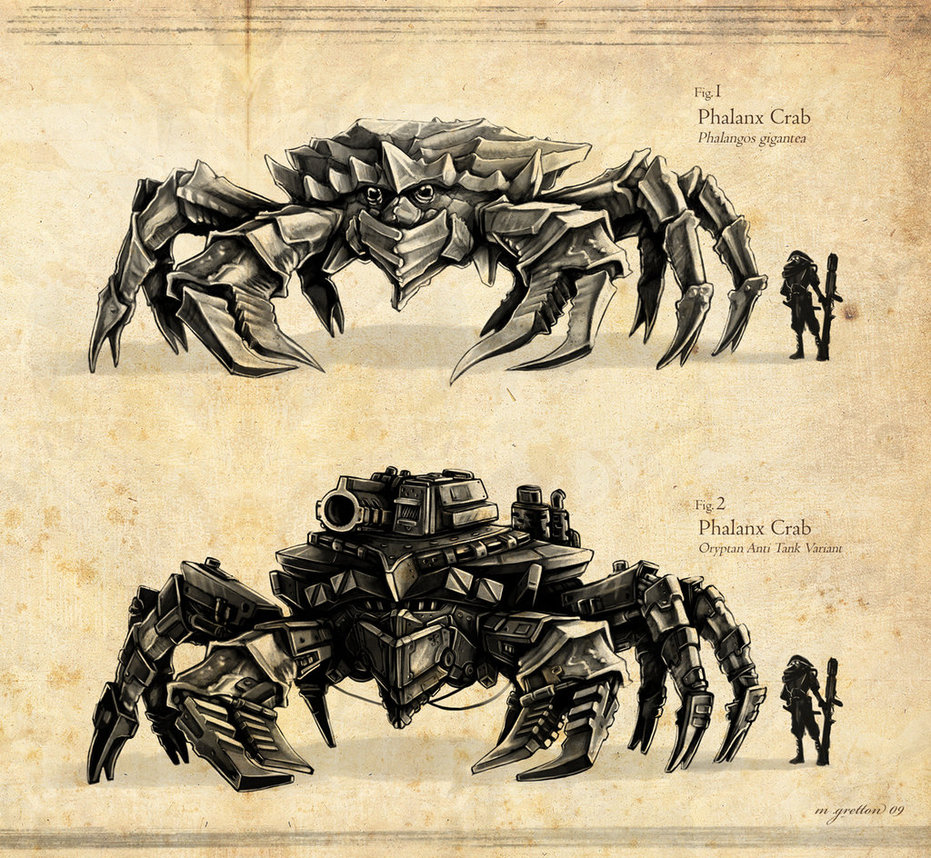
Here’s this great art by radiationboyy. It captures the bulky, powerful, yet lumbering sea crab style that I envisage for Chowder. As a small addition though I would add some chains to his claws for a better fit with his lore and Q.

phalanx_crab_concept_by_radiationboyy-d25fk1h

I do not own this art, for the original posting please follow the link below.

2. Lore

Worth their weight in gold, the deadly Storm Crabs of the Guardian Sea were a short-lived Noxian delicacy. Taken from the depths of the Guardian Sea to the bustling Ivory Ward Marketplace, such a prize brought Noxus’s lowly fisherman much needed respect.

Some say the crabs had learnt the ways of the storms when Runeterra was young, that’s why they lived in the heart of a seemingly endless one. Hearing the tales of the Storm Crab hunters, a promising young Noxian saw an opportunity to magnify his strength and end an indulgence that he saw as a sign of weakness. Arranging two ships he set off, and after two perilous weeks on the sea the storm was in sight.

He brought death, overseeing the systematic destruction of the Storm Crabs. When all the crabs were either slain or captured, he left, leaving the remaining petty work to his crew of weaklings. The crew gorged themselves on crab. Arguing amongst themselves about how to cook the last Storm Crab one dish stuck, Chowder, that crab took it as his name and as a reminder.

Having watched the annihilation of everything he knew and held dear drove Chowder insane, a mighty storm was brewing. With new found strength Chowder broke free of his chains, and with maddened frenzy shredded whatever was in his path, including the ship.

With nothing left Chowder roamed the seas indiscriminately destroying, soon becoming a threat to the trade routes of Blue Flame Island. Fizz the savior of Bilgewater sought out this new menace. On finding the it Fizz was capable enough to stave off its attacks long enough to communicate with the monster.

On Hearing Chowders tale and learning of his desire to find the young Noxian soldier, Fizz informed Chowder that what he sought could be found on the fields of justice. Thus Chowder joined the League of Legends to find and destroy that young soldier that started it all.

Continue reading Chowder the Storm Crab – League of Legends Champion Design

Plan Recognition in R.I.S.K.

Whilst at The University of Edinburgh I self-proposed my final year project on Plan Recognition in R.I.S.K. I was supervised by Dr. Michael Rovatsos (an awesome supervisor I might add!). The research I did was fortunately noticed by the great folks over at the CREST Center UCL in their BSc Final Year Computer Science Project Competition 2013, and it had me shortlisted as a finalist.

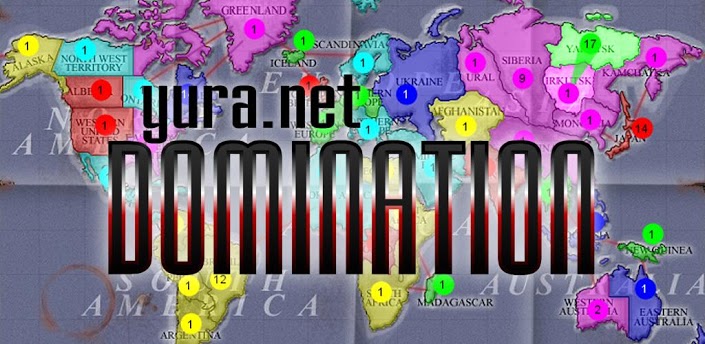
The project involved the design and implementation of a plan recognition agent for the board game R.I.S.K. The implementation was done in a game called Domination, a Java version of the classic board game R.I.S.K. developed by Yura.net. Domination is freely available and you can download it through Sourceforge here.

domination

The agent that was created is based on Geib and Goldman’s Probabilistic Hostile Agent Task Tracker (PHATT).  Acting as an observer to the game it’s goal is to infer the unknown missions cards of players based their actions in real time. In my project report I evaluated the plan prediction accuracy of the agent with four experiments, the results of which I presented and analysed. I then went on to discuss the project outcomes and future work.

You can read my report here (brace yourself its a long read). Additionally the source code for the project is available from GitHub here.

Thrillseeker – Game Jam Project

Thrillseeker is a game jam submission on the theme “You Are Your Own Worst Enemy” designed and created by my friend Sangseo Lee and I. The core mechanic of the game is that whilst flying close to passing asteroids gives you a higher score, doing so greatly increases your chance of crashing. It’s like Burnout in that the player is rewarded for high risk game play.

thrillseeker
In-Game Screenshot

To play it, download this zip file and run the executable inside (it’s a GameMaker exe file)!

Immunity – Game Jam Project

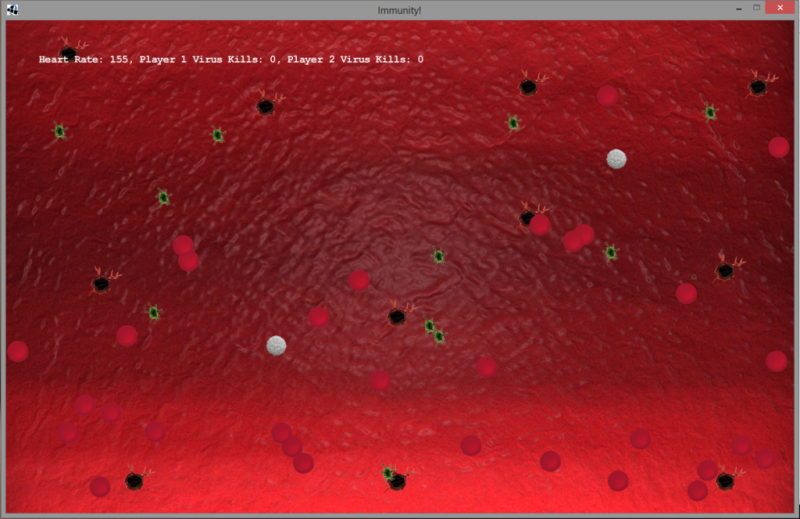
immunity

White blood cells play a vital role for our health, without them we’d be easy pickings to the likes of even the common cold. Play a moment in the life of a white blood cell and battle against an ever growing hordes of viruses and protect the red blood cells to keep your heart beating. Even better, do it with a friend! Happy hunting!

Immunity is a coop game that I worked on with Sangseo Lee, for the Global Game Jam 2013 at Edinburgh. It took second place in the local competition and was noted by the judges for best design. At the moment it’s written in Java using the Slick framework and can run on Windows, Linux, Mac and Solaris. Check it out at the Global Game Jam website here!